Chart of accounts: applying it to a company
Who it is for: an accountant, an administrator. Result: a company of Ukraine works on the chart of accounts of Order 291 of the Ministry of Finance of 30.11.1999, with account numbers and the default accounts of the company.
The chart of accounts is data of the app ua_localization (a file in the ERPNext format), not code. What exactly is in the chart is on the page Chart accounts: structure and special accounts.
Note: The final decision rests with the enterprise's accountant.
A new company
The app applies the chart automatically right after a company is created, when all of this holds:
- the country of the company is Ukraine;
- the company has no parent company;
- the chart of accounts is not created from an existing company;
- the chart of accounts field is empty, "Standard" or "Standard with Numbers".
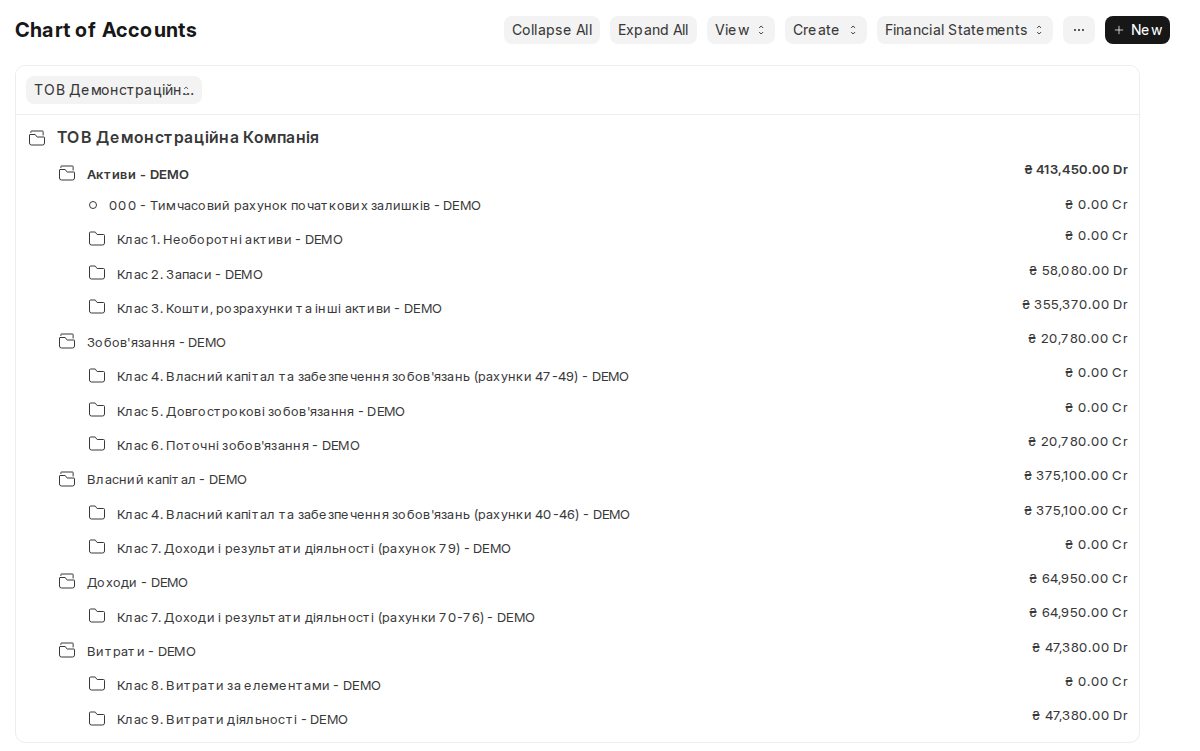
The company then gets the accounts of the file instead of the standard ERPNext chart. Next the app sets the default accounts of the company by number (cash 301, bank 311, receivable 361, payable 631, income 702, expense 902 and others), checks them the way ERPNext itself does, sets the required balance side of the accounts and creates the default warehouses. The company gets a marker in the read-only field "Applied Chart of Accounts" (ua_psbo_291).
Together with the chart the app also creates VAT templates for sales and purchases; this section does not describe them.
An existing company: the button
When a company was already created with the standard chart, the chart can be replaced with a button.
- Open a saved company of Ukraine. You need the Accounts Manager role and write permission on the company.
- Choose Manage → "Apply Ukrainian Chart of Accounts".
- The app first only checks whether the chart can be replaced (it changes nothing). If the chart is already applied, it shows "The Ukrainian chart of accounts is already applied."
- When the replacement is possible, a question appears: "Replace the chart of accounts of … with the Ukrainian one? All its accounts are deleted; this is possible only while the company has no postings." Confirm.
- After the replacement it shows "The Ukrainian chart of accounts is applied."
The replacement is made in one transaction with a savepoint: the old links of the company to accounts are cleared, the old accounts are deleted from the deepest ones, the new chart is created, the same steps as for a new company run and the acquirer account is mapped. An error at any step rolls everything back. A company that already has this chart is left as it is.
What must hold for the replacement
- A company of Ukraine, not a child and without children.
- No GL Entry, no Stock Ledger Entry, no submitted transaction and no draft of a Purchase Invoice, Sales Invoice, Payment Entry, Journal Entry or Stock Entry.
- Nothing but the default accounts of the company, its "Party Account", "Mode of Payment Account" and "Tax Withholding Account" rows and its own tax templates links to its accounts (cancelled documents are counted too).
- The shape of the account tree equals the default chart that ERPNext generates. When the chart was edited, a question is shown: "The current chart of accounts of … was edited. Replace it with the Ukrainian one anyway? All its accounts are deleted." Only this check is lifted by the confirmation, the others are not.
What the refusals mean
When the replacement is impossible, the app shows the title "The chart of accounts of … cannot be replaced" and a list of reasons (the first several, then "and N more"):
| Message | Reason |
|---|---|
| The country of the company is not Ukraine | the button and the replacement are for a company of Ukraine only |
| The company is a child company of … / The company is a parent of … | the replacement is not made inside a group of companies |
| A GL Entry of the company exists: … | the company already has movement on its accounts |
| A Stock Ledger Entry of the company exists: … | there is stock movement |
| The company has submitted transactions | there are submitted documents |
| A draft … exists: … | there is a draft of one of the listed documents |
| … is linked to an account of the chart | a document or a record refers to an account of the chart (for example the "Ukraine Tax" template, an item default or a bank account that names an account of the chart); delete or change it by hand |
Special cases
- The standard Ukrainian company that ERPNext itself creates has extra "Ukraine Tax" fixtures (a "VAT" account in "Duties and Taxes" and an item tax template). Such a template blocks the replacement: delete it by hand and confirm the question about the changed chart.
- ERPNext commits a transaction after 200,000 writes. On a site of that size the replacement, which has to be atomic, cannot be relied on.
- The list of the off-balance accounts of class 0 is kept next to the chart file; they are not loaded into the tree, because ERPNext has no root type for them.
- For landed cost, taxes in stock valuation, asset purchases through a receipt and the operating cost of a bill of materials, set by hand in the company (Company → Accounts) the defaults "Expenses Included In Valuation", "Asset Received But Not Billed" and "Expenses Included In Asset Valuation".
Related: Chart accounts: structure and special accounts, Taxpayer requisites.