Service deposit and withdrawal
Who it is for: a PRRO Cashier with an own open shift. Result: an accepted PRRO Document of the kind Service Input or Service Output and a PRRO Service Operation record. Effect: a PRRO Document and a PRRO Service Operation record.
Steps
- Open your PRRO Shift in the state Open.
- Press "Service Deposit" or "Service Withdrawal".
- Enter the "Amount" and, if needed, the "Reason", and press "Continue".
- The app shows the amount that goes into the receipt. When the entered amount is rounded, the message is: "The amount 12.04 is rounded to 12.00 UAH (the step is 0.10 UAH). Send the service receipt?". Without rounding: "Send the service receipt for 12.00 UAH?". Confirm it.
- The app sends the receipt to the simulator. The result is in the message "PRRO Document X: Accepted".
A receipt is sent only with a confirmed amount: if another amount is sent, the app refuses with "The amount to send is X UAH: confirm it first".
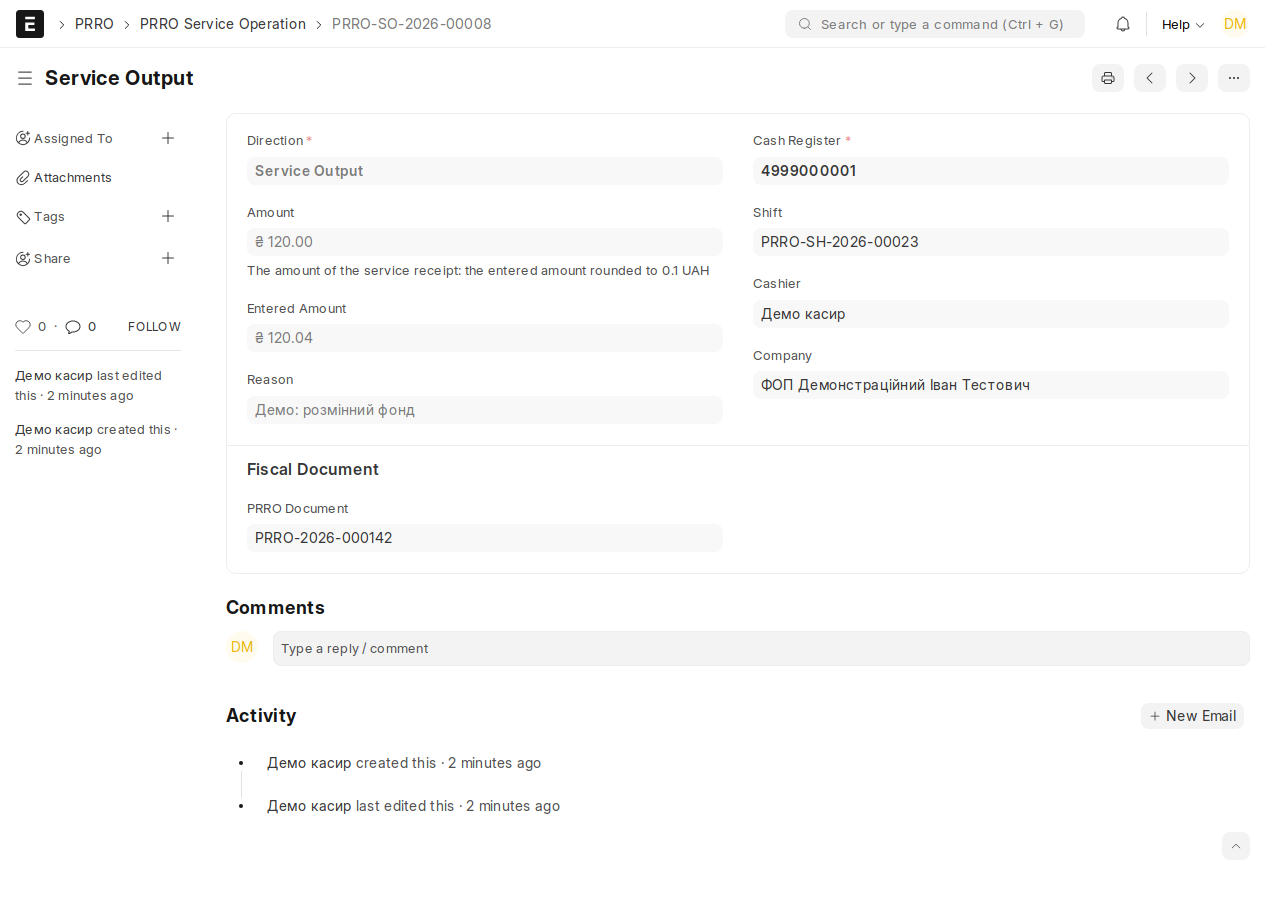
Rounding to 0.1 UAH
The amount of a service receipt is always rounded to 0.1 UAH, an exact half away from zero: 1234.56 and 1234.55 give 1234.60, and 1234.54 gives 1234.50. For service receipts the step is always 0.1 UAH, whichever step is chosen for sales. An amount that becomes zero after the rounding (for example 0.04) is refused: "The amount 0.04 rounds to zero at the step of 0.10 UAH: enter at least 0.10". The rule for sales is on the page Cash rounding.
Who may do what
- A PRRO Cashier has the buttons "Service Deposit" and "Service Withdrawal" only on the own open shift; the cashier must be an enabled cashier of the company.
- The role PRRO Cashier gives these buttons.
- A PRRO Service Operation is created and changed by the services of the app.
What is created
- A PRRO Document of the kind Service Input or Service Output.
- A PRRO Service Operation with the direction, the amount, the entered amount, the reason, the shift, the cashier and a link to the document.
The Z-report counts the service deposits and withdrawals: "Службовий внесок", "Службова видача" and the cash at the end of the shift (Close a shift and the Z-report). An accepted service receipt is printed from its PRRO Document (Print receipts and the Z-report).
Related: X-report, Returns and the return receipt.