Tax invoice
Who it is for: the accountant of a VAT payer. Result: a tax invoice (ПН) in the state "Ready" with a number and an XML file.
Note: The final decision rests with the enterprise's accountant.
What you need
- A company that is a VAT payer on the operation date (the company requisites) with a four-digit tax office code, a signer (a name and a tax number; empty for an individual entrepreneur) and a numbering rule. The fields are in the section "Ukraine: Tax Invoices" of the Company.
- The rate codes in the tax templates: VAT rate codes and tax templates.
- On the item, a УКТ ЗЕД code (goods) or a ДКПП code (services).
- On the buyer, the VAT status ("VAT payer" or "Not a VAT payer") and the ІПН of a payer. A buyer with no status is unknown: the app shows a message that says what to fill in.
How to make an invoice
- Submit a Sales Invoice, a Delivery Note or a Payment Entry of the type Receive (a prepayment).
- Press "Create" > "Tax Invoice". The app makes a draft (or several) and shows their names.
UA VAT Settings has a switch "Create Draft Tax Documents on Submit": it is off by default, and when it is on, the draft is made when the source is submitted. The submission of the source completes whatever the result of making the draft.
Which document carries the invoice and for what amount is decided by the first-event rule (article 187.1 of the Tax Code): the event is the money of the buyer coming in or the shipment, whichever happened earlier. In plain words:
| Situation | Result |
|---|---|
| the money came in, no shipment yet | an invoice for the paid amount at the payment date (an advance) |
| a shipment with no earlier payment | an invoice for the shipped amount at the shipment date |
| a payment after a shipment that already has an invoice | that part is stated in the invoice of the shipment |
| a shipment after an advance that already has an invoice | that part is stated in the invoice of the advance |
| the advance is larger than the shipment | the balance covers the next shipment |
| the shipment is larger than the advance | an invoice for the difference |
| a service | the event is the date of the Sales Invoice |
A payment back-dated before a shipment that already has an invoice, and a shipment dated before an advance that already has an invoice, are a first-event conflict: the app reports it, and a new draft in that chain is made after the earlier document is cancelled or corrected.
Exempt and taxable lines of one source go to separate invoices. A line with the marker not_object is left out of the invoice.
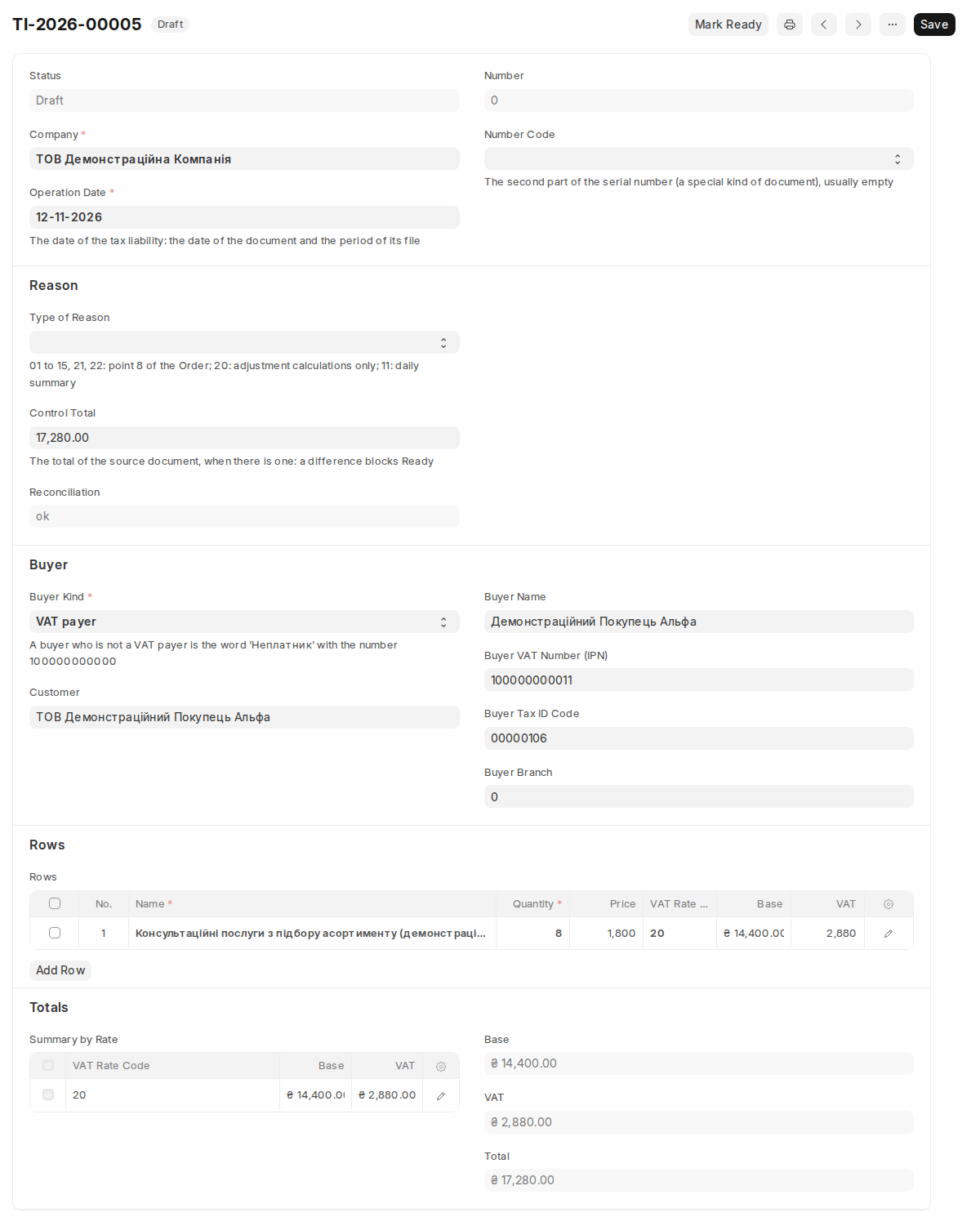
A buyer who is not a payer
By default such an invoice is made for every supply with the type of reason 02, the buyer name "Неплатник" and the conventional number 100000000000. A cash register (POS) sale to a buyer who is not a payer is skipped by default: the daily summary covers it. Both values, and the minimum base for such buyers (0 by default), are changed in UA VAT Settings.
The daily summary invoice (the type of reason 11) is made from a source of the daily totals that another app connects.
States and buttons
| State | What you can do |
|---|---|
| Draft | edit; the buttons "Mark Ready" and "Cancel Document" |
| Ready | view only; the buttons "Download Unsigned XML" and "Cancel Document" |
| Cancelled | only look |
Every save of a draft calculates the base, the price and the VAT of the rows, the summary by rate (section A of the form) and the totals. The actions write the fields of the status, the number, the seller data, the XML and the cancellation.
Prepare for filing
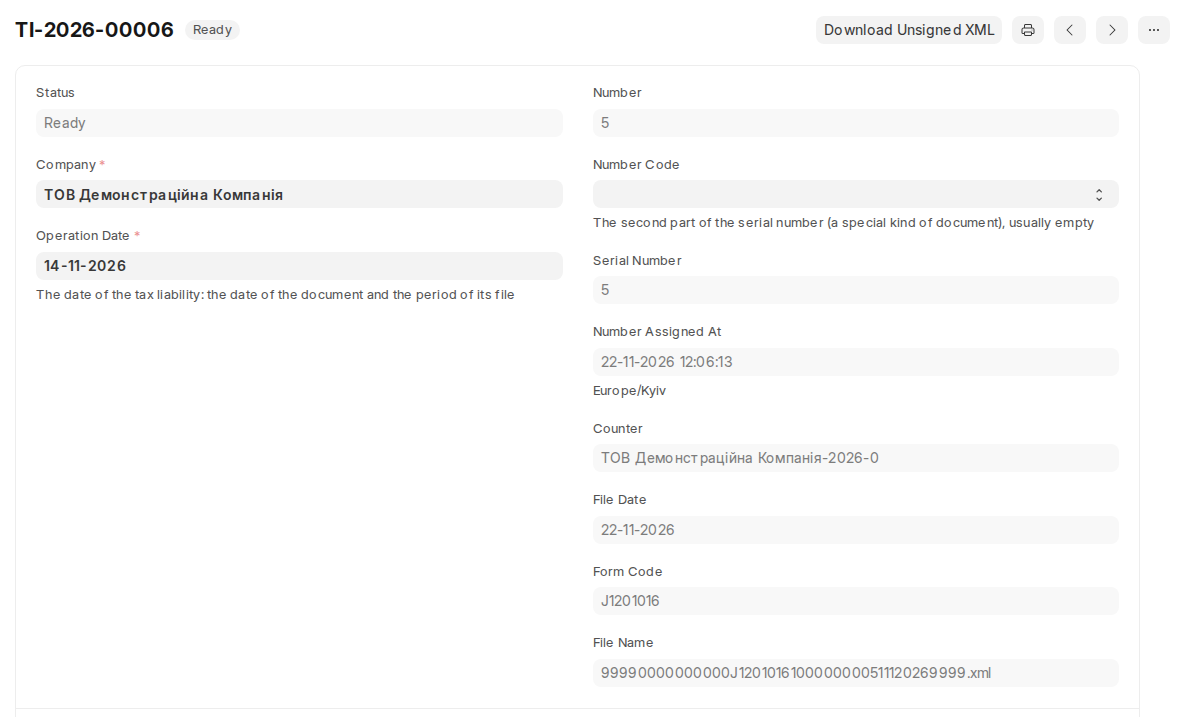
The button "Mark Ready" (the Ukrainian interface calls it "Підготувати до подання"; it needs the write permission: Accounts Manager and Accounts User) first collects all the reasons to refuse and shows them as a list: the seller data (the company requisites, the tax office code, the signer, VAT payer on the date), the check of the stored summary against the rows and against the control total of the source, the rows, the parties, the type of reason, the serial number and the validation of the built XML against the schema. When there is no reason, the app:
- takes the next number;
- freezes the seller data as of that moment;
- builds the XML and stores it with its SHA-256.
When something fails after the number was taken, the changes are rolled back: the number stays free.
Numbering
- There is one counter per company and period for the tax invoices and the adjustment calculations together.
- The period of a counter is the operation date. The restart rule is the Company field "Tax Invoice Numbering Restarts": "Never", "Yearly" (the default) or "Monthly". After the first number is issued the rule is fixed.
- The number is assigned at "Mark Ready" and stays with the document, also after a cancellation.
- The renaming and the merging of a company for which numbers were issued are refused.
After Ready
- The document is immutable. The only change is the cancellation.
- "Cancel Document" is an action of the Accounts Manager and asks for a reason. The number stays with the document. A tax invoice that has a live adjustment calculation is cancelled after the calculation is cancelled.
- The button "Download Unsigned XML" hands over the exact bytes that "Mark Ready" built, after checking them against the stored hash. The file is in the windows-1251 encoding, the form J1201016 (F1201016 for an individual entrepreneur).
- The app prepares the document and the XML file up to the state "Ready"; signing and submission are done outside the app.
Basis
The Tax Code: the first event, article 187.1. The tax invoice: the Procedure of filling in a tax invoice (order of the Ministry of Finance of 31.12.2015 No. 1307).