Statuses and what to do
Who it is for: a cashier and a PRRO Manager. Result: you know what to do with each status.
Receipts are produced by a simulator of the fiscal server; they are not registered with the tax service.
Statuses of a document
| Status | Meaning | What to do |
|---|---|---|
| Draft | the number is taken, the document waits for a signature | usually nothing; if it is stuck, a manager resolves it |
| Signed | signed with a stub, the document waits to be sent | the same |
| Sent | sent, the document waits for the answer | wait; then a manager resolves it |
| Accepted | the answer is accepted, final | print the receipt |
| Rejected | the server refused, final | read the error code, tell a manager; the invoice can be fiscalized again |
| Unknown | the outcome is set by resolving: the app asks the server about the local number of the document | a manager resolves it; it may go to manual analysis |
| Failed | the document is not registered, final | the invoice can be fiscalized again with a new document |
The final statuses are Accepted, Rejected and Failed.
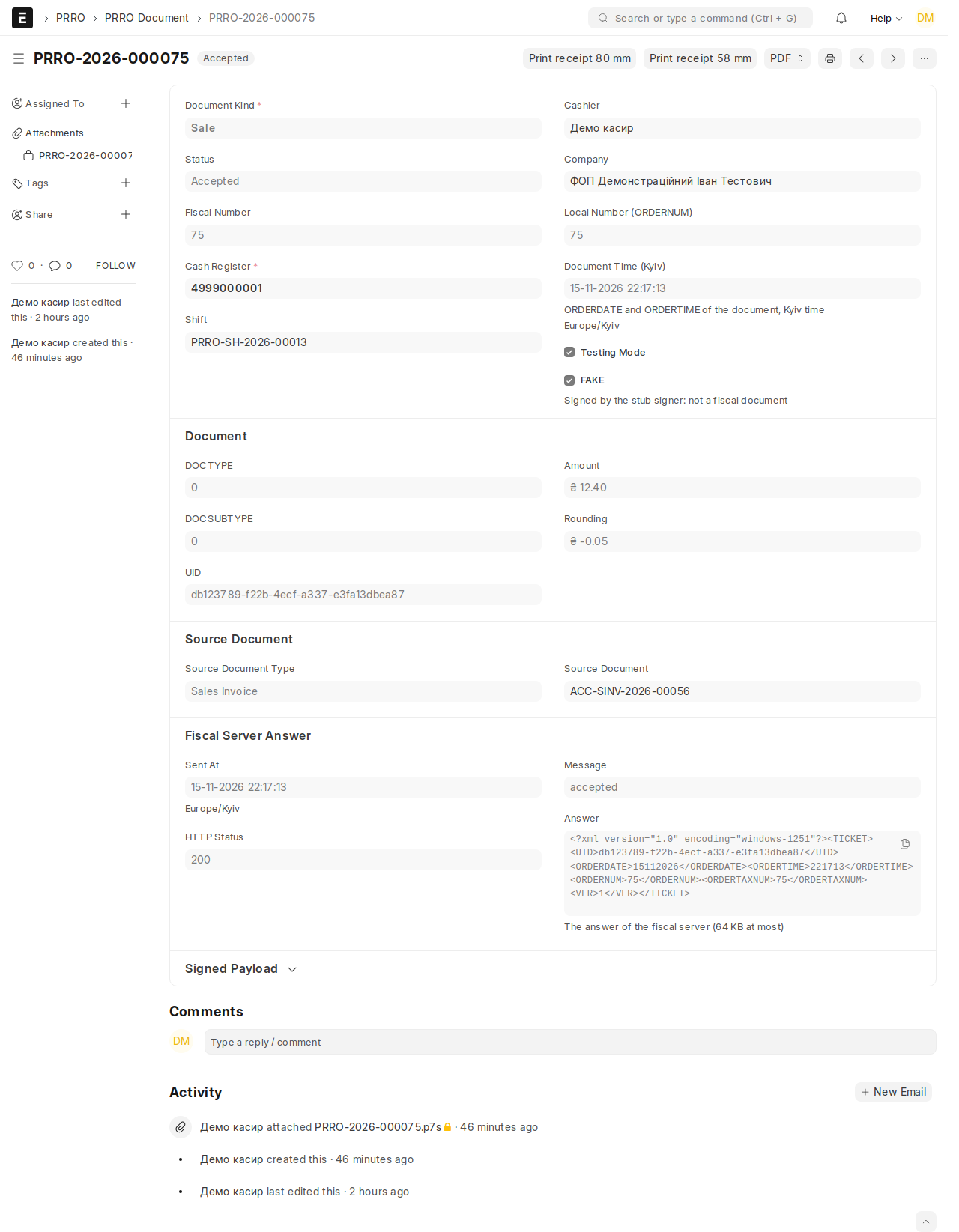
A return receipt and service receipts have the same statuses. An X-report makes no document, so it has no status.
The marker on the invoice
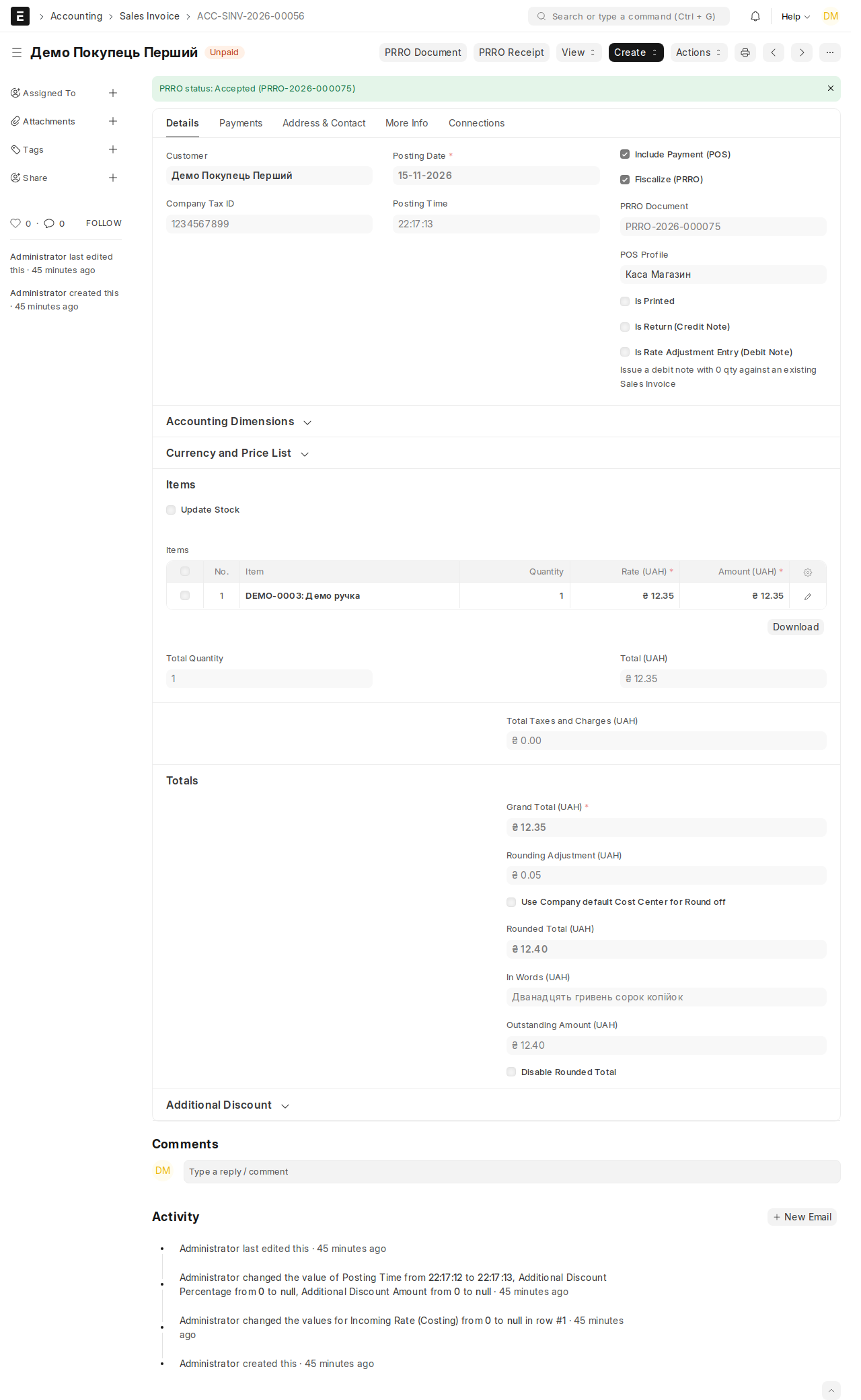
Before the first status the marker on the invoice shows "Claimed": the number is taken and the document is being made. Then the field "PRRO status" on the Sales Invoice repeats the status of the document, and "PRRO Document" leads to it. An invoice with an unfinished document refuses new attempts until the document is resolved. A return invoice has its own marker and its own document; the sale that it returns keeps its marker. While the receipt of the sale is not final, a return is refused (Returns and the return receipt).
Who does what
- A cashier fiscalizes, reads the status and prints.
- A PRRO Manager resolves documents (Resolve a document) and records the outcome of a manual analysis (Manual analysis).
- PRRO Documents and shifts are written by the services of the app.