Purchases and the tax credit
Who it is for: the accountant of a VAT payer. Result: the VAT of a purchase first on the expected tax credit account (6442), and after a link to a received tax invoice or a customs declaration on the confirmed credit account (6441).
Note: The final decision rests with the enterprise's accountant.
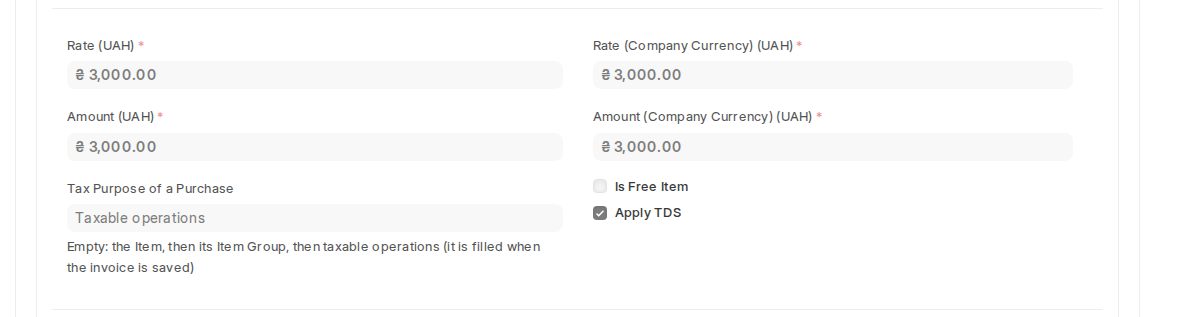
The tax purpose of a purchase
The field "Tax Purpose of a Purchase" is on the rows of a Purchase Invoice and has a default on the Item and on the Item Group (the group and its parent groups are looked at, the nearest first).
| Value | Meaning |
|---|---|
| Taxable operations | the VAT gives the right to the credit |
| Exempt or non-taxable operations | the VAT of the row goes to the cost, without a credit |
| Non-business use | the VAT of the row goes to the cost, without a credit |
| Mixed use | the credit is proportional to the share of the taxable use of the company |
A row with no value takes, when the invoice is saved, the first value of the chain row, item, item group, and when there is none, "Taxable operations". The share of the taxable use is entered in the Company field "Share of Taxable Use, %": the taxable supplies of the previous year over all supplies (article 199.2). When it is not set (0), a row of mixed use is refused.
The expected and the confirmed tax credit
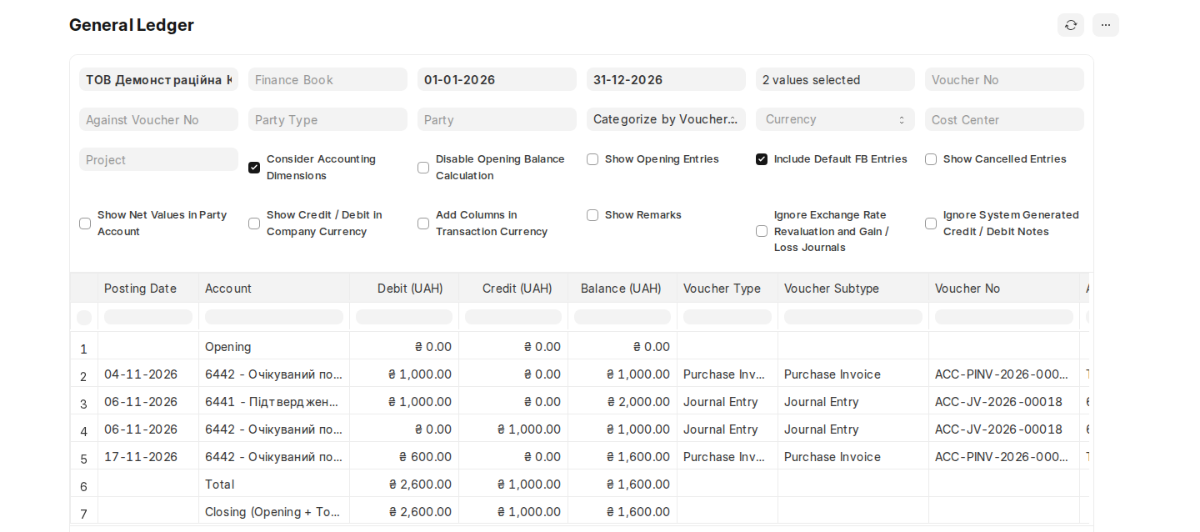
The purchase template of VAT rate codes posts the VAT to the expected tax credit account 6442. When a document that the Code names as the basis of the credit is linked to the Purchase Invoice, one Journal Entry moves the VAT:
- Dr 6441 for the part that has the right to the credit;
- Dr the expense account of the line for the part without the right (the VAT goes to the cost of the line);
- Cr 6442.
The VAT without the right to the credit goes to the cost, to the expense account of the row; when the account of the row is not an Expense account (this happens with a stock item), the message of the app points to a Landed Cost Voucher. Cancelling the link cancels the entry; an invoice with a link and the entry itself are cancelled through the cancellation of the link. The date of the entry is the registration date of the invoice in the ЄРПН (for an import, the date of the customs declaration), but not before the posting dates of the invoices.
The received tax invoice
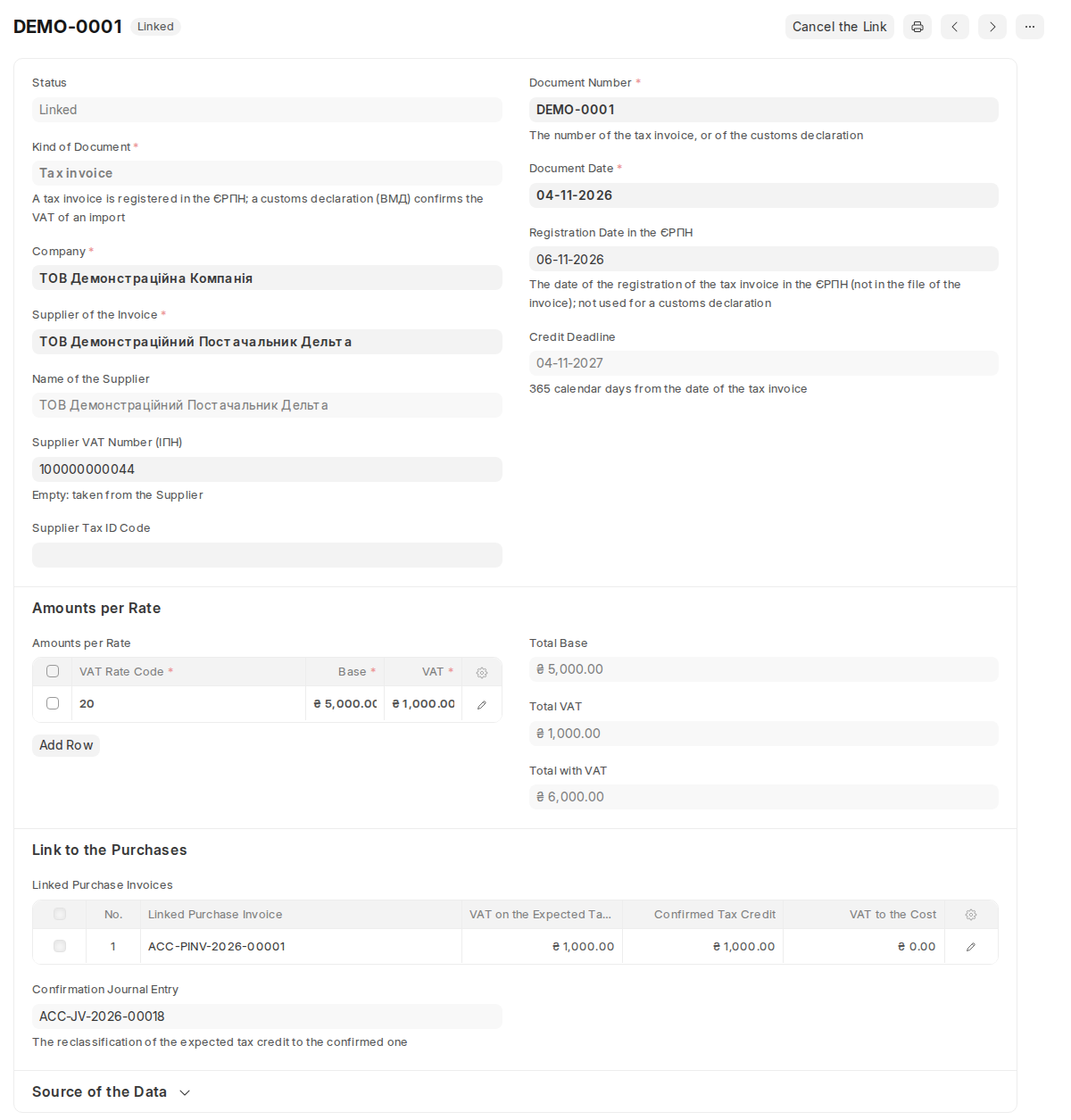
A "Received Tax Invoice" records the document of a supplier: the kind (a tax invoice or a customs declaration), the supplier, its ІПН, the number, the date, the registration date in the ЄРПН, the amounts per rate (the base, the VAT, the number of rows when needed), the credit deadline (365 calendar days from the date of the invoice, for the kind tax invoice) and the linked invoices. Received invoices are entered by hand or by importing the XML file of a supplier's invoice in the schema of the tax service.
The states: Draft > Registered > Linked, and Cancelled. The state is written by the buttons:
| Button | What it does |
|---|---|
| Import XML | reads the XML file of a supplier's invoice (the tax service schema): the supplier, the number, the date, the amounts per rate; the registration date is entered by hand |
| Register | Draft > Registered; the registration date in the ЄРПН is needed |
| Link Purchase Invoices | finds the submitted invoices of the supplier whose VAT adds up to the VAT of the document and posts the move of the credit |
| Cancel the Link | Linked > Registered, cancels the entry |
| Cancel Document | from Draft or Registered |
The rules:
- An invoice from a supplier that is not a VAT payer is refused.
- The supplier, kind, number and date of a document make a unique combination.
- The supplier rounds the VAT per row, so the check of the amounts of a rate allows a kopeck, and when the number of rows is known (from the XML or from the column "Rows") half a kopeck per row.
- When exactly one set of invoices has the matching VAT, it is taken; when there are several, the app names the candidates and you name the invoices in the table by hand. The search reads up to 1000 invoices of a supplier and looks at up to 200 candidates; a larger number gives an error that asks to name the invoices.
- A link after the credit deadline is refused. An invoice registered late falls in the period of its registration, but not later than 365 days from its date.
Import
A Purchase Invoice has a section "Ukraine: Customs Declaration (ВМД)": the number, the date, the customs value and the VAT paid at the customs. The app has two functions for a script or a console: they record these data as a received invoice of the kind "Customs declaration" and, when asked, link it, so that the import has a confirmed credit. The declaration is accepted when the VAT paid at the customs equals the VAT on the expected credit account.
A Purchase Invoice is linked to a document as a whole. A return against a Purchase Invoice whose VAT is confirmed by a link is recorded after the link is cancelled.
What goes into the purchase register and the declaration worksheet: Registers and the declaration worksheet.
Basis
The Tax Code, articles 198, 199 and 201.