PRRO Settings
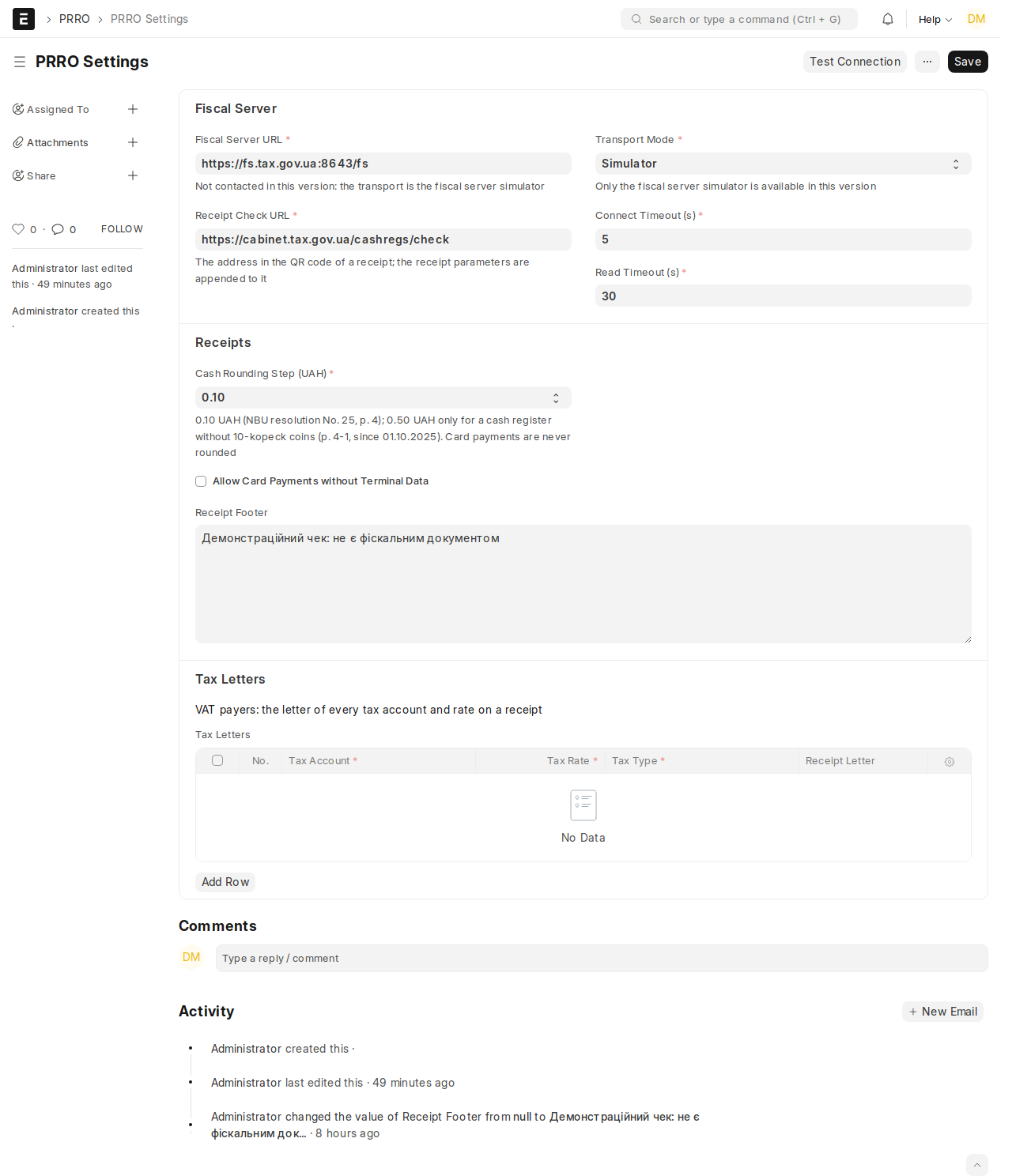
Who it is for: a PRRO Manager, an accountant. Result: the settings of the receipt, the taxes and the rounding. Settings: transport, receipt, tax letters and the rounding step.
Transport
- Transport Mode: the value is "Simulator".
- Fiscal Server URL: the address of the transport; the simulator runs inside the app.
- Connect Timeout (s) and Read Timeout (s): seconds; a value out of range is refused.
Receipts
- Receipt Check URL: the address in the QR code; the receipt parameters are appended to it. It is an https address without query and fragment.
- Receipt Footer.
- Allow Card Payments without Terminal Data: a card payment is fiscalized in the same way whatever the value of this option (A card payment).
- Cash Rounding Step (UAH): 0.10 or 0.50. Any other value is refused. The rule is described in Cash rounding.
Tax letters
For VAT payers: the table "Tax Letters". Each row has a tax account, a rate, a tax type (0 - VAT, 1 - Excise, 2 - PF), a receipt letter and a tax name. When the letter is empty, A is used for VAT, Б for excise and В for PF; an empty name becomes "ПДВ", "Акциз" or "ПФ". A tax account is listed once, and a letter stands for one tax and one rate. See VAT letters and the receipt tax table.
A change of the rounding step applies to invoices saved after it.