Cash flow items
Who it is for: an accountant who tags the cash movements for the statement of cash flows (form 3, direct method). Result: every payment, and every cash or bank line of a journal entry, has a cash flow item: the code of a line of the form 3.
Note: The final decision rests with the enterprise's accountant.
The catalogue
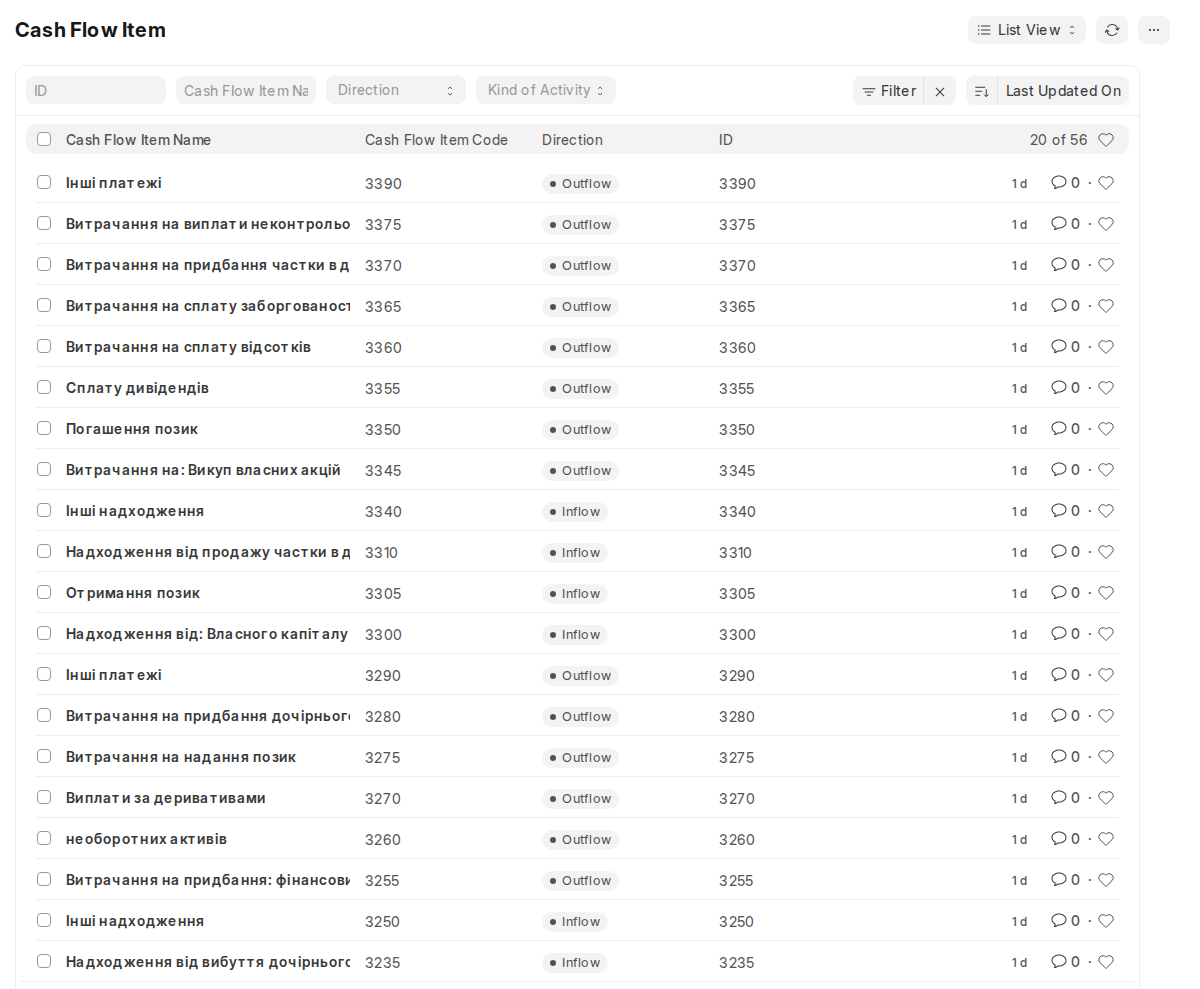
A "Cash Flow Item" is a catalogue of three groups (operating, investing and financing activity) and 53 items. The code of an item is the code of the line of the form 3 that the movement goes to: 3000, 3100 and so on. The catalogue holds:
- the lines of the form 3 that carry a movement: the receipts and the payments of each activity (3000-3190 operating, 3200-3299 investing, 3300-3399 financing);
- the additional lines of Appendix 3 to НП(С)БО 1 (marked "Additional Line"): for example advances, interest, penalties, rent, loans.
The range of the code sets the kind of activity, and the item itself sets the direction (a receipt or a payment). The "of which" lines (3006 of 3005, 3011 of 3010, 3116-3118 of 3115) are details of the parent item: their amount is part of the line of the parent item. The groups and the parent items are given in the field "Parent Cash Flow Item". A line of the form 3 by cash flow items takes the sums of the movements tagged with its item and with the items below it.
The catalogue can be read by Accounts User, Accounts Manager and System Manager, and changed by Accounts Manager and System Manager.
How to tag a movement
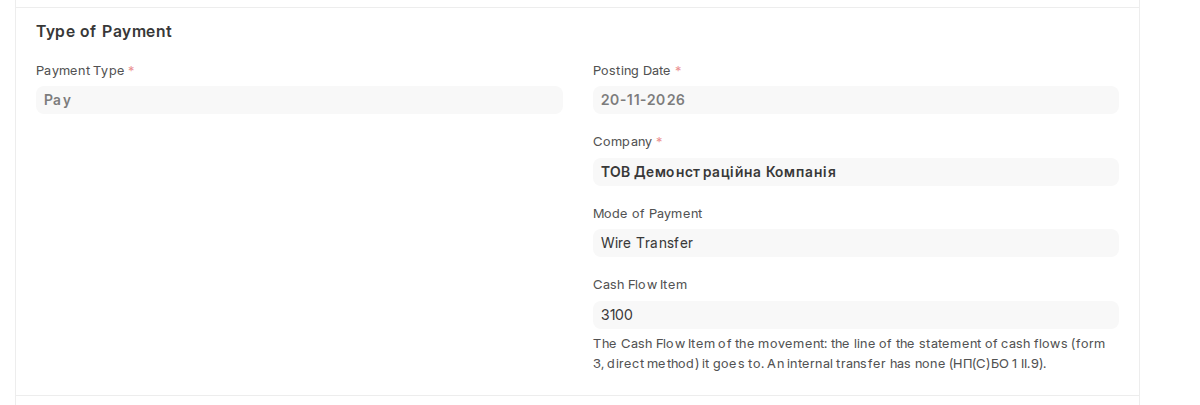
- A Payment Entry: the field "Cash Flow Item" is after the Mode of Payment.
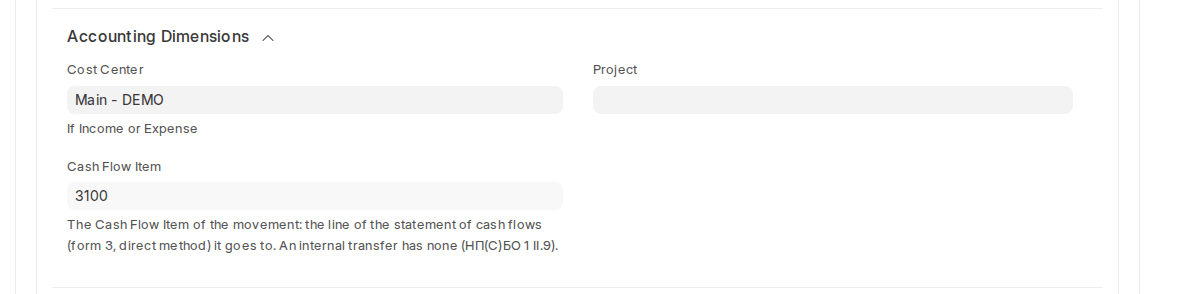
- A Journal Entry: the field is on the account row and is shown for the accounts of the type Cash or Bank and for the accounts whose number starts with 30, 31, 33 or 351.
The app checks it when you save:
| Rule | Message |
|---|---|
| A payment of the type Receive takes a receipt item, and a Pay takes a payment item | "The cash flow item ... is an ... item, which does not match the direction of the movement" |
| A payment of the type Internal Transfer: internal changes of cash are not in the statement | "An internal transfer is not in the statement of cash flows: leave the cash flow item empty" |
| In an entry the item stands on a cash or bank row, and the direction comes from the side: a debit is a receipt, a credit is a payment | "Only a cash or bank line carries a cash flow item" |
| A tag of a group of items | "... is a group of cash flow items: choose an item of the group" |
| A cash row has both a debit and a credit | "The cash line has both a debit and a credit: split it into two lines, one for each direction" |
| All the rows of an entry are cash or bank rows (cash moved from one cash account to another) | "An internal transfer is not in the statement of cash flows: leave the cash flow item empty" |
Each cash or bank row of an entry has its own item, so an entry with a cash row on each side and a non-cash row (a payment and a receipt in one entry) may carry two items.
Default items
For a draft payment with an empty item the app fills it in when you save. "UA Cash Flow Settings" (open to Accounts Manager and System Manager) has two tables:
- by Mode of Payment: empty at the start, filled with the data of the site;
- by party type: at the start Customer receive 3000 and pay 3190; Supplier 3095 and 3100; Employee 3095 and 3105.
The Mode of Payment wins over the party type. When a draft that got a default item is switched to an Internal Transfer, the item is removed silently; an item that the user chose is refused in that case.